Agent Monitor
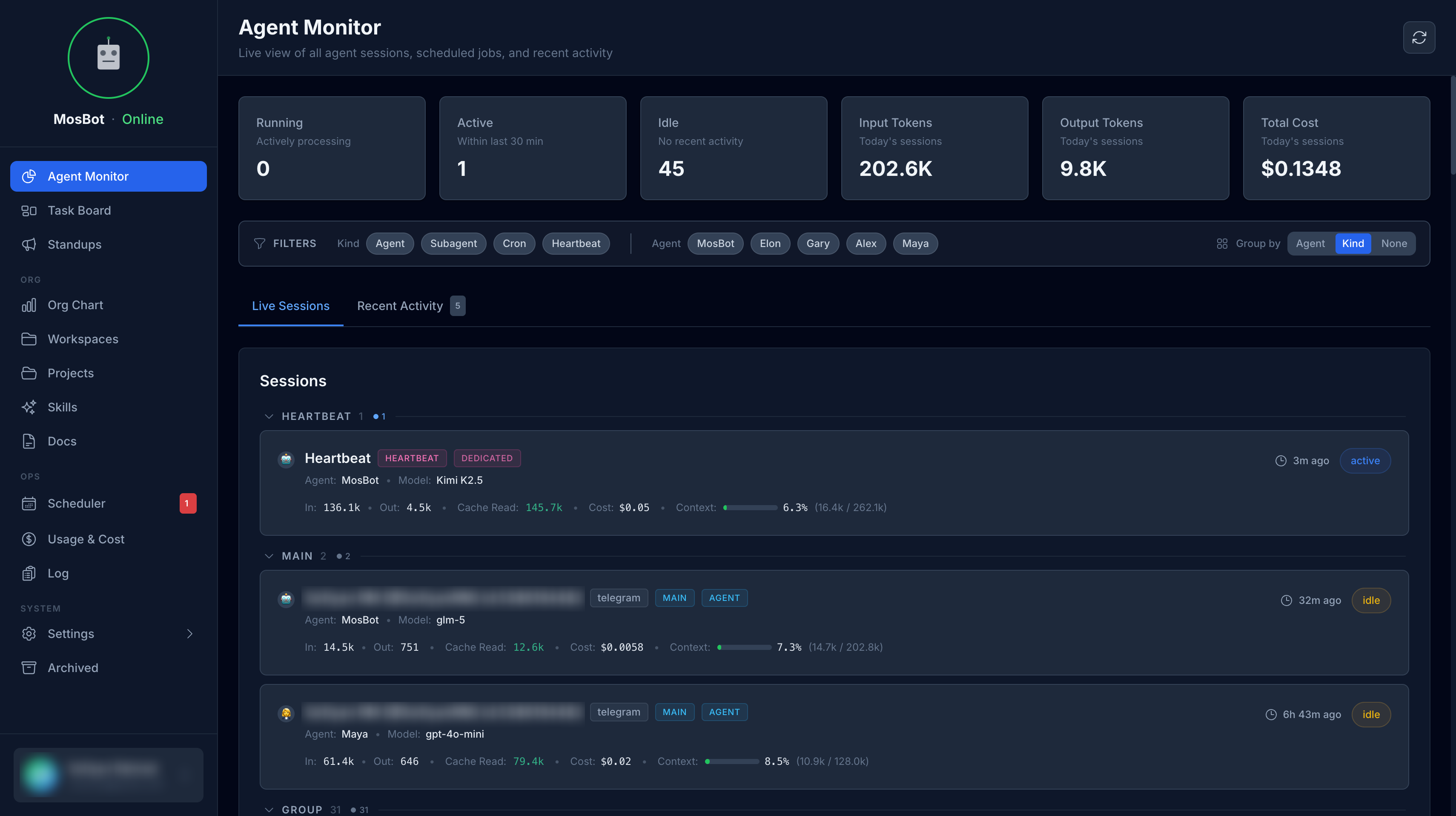
The Agent Monitor gives you visibility into your AI agents' activity — what they're doing right now, how much it's costing, and how they've been performing over time.
See OpenClaw Integration. :::
What you can see
Live session status
The Agent Monitor shows which agents are currently active and what they're working on. For each active session you can see:
- Which agent is running
- Session start time and duration
- Current activity or task
- Token usage so far
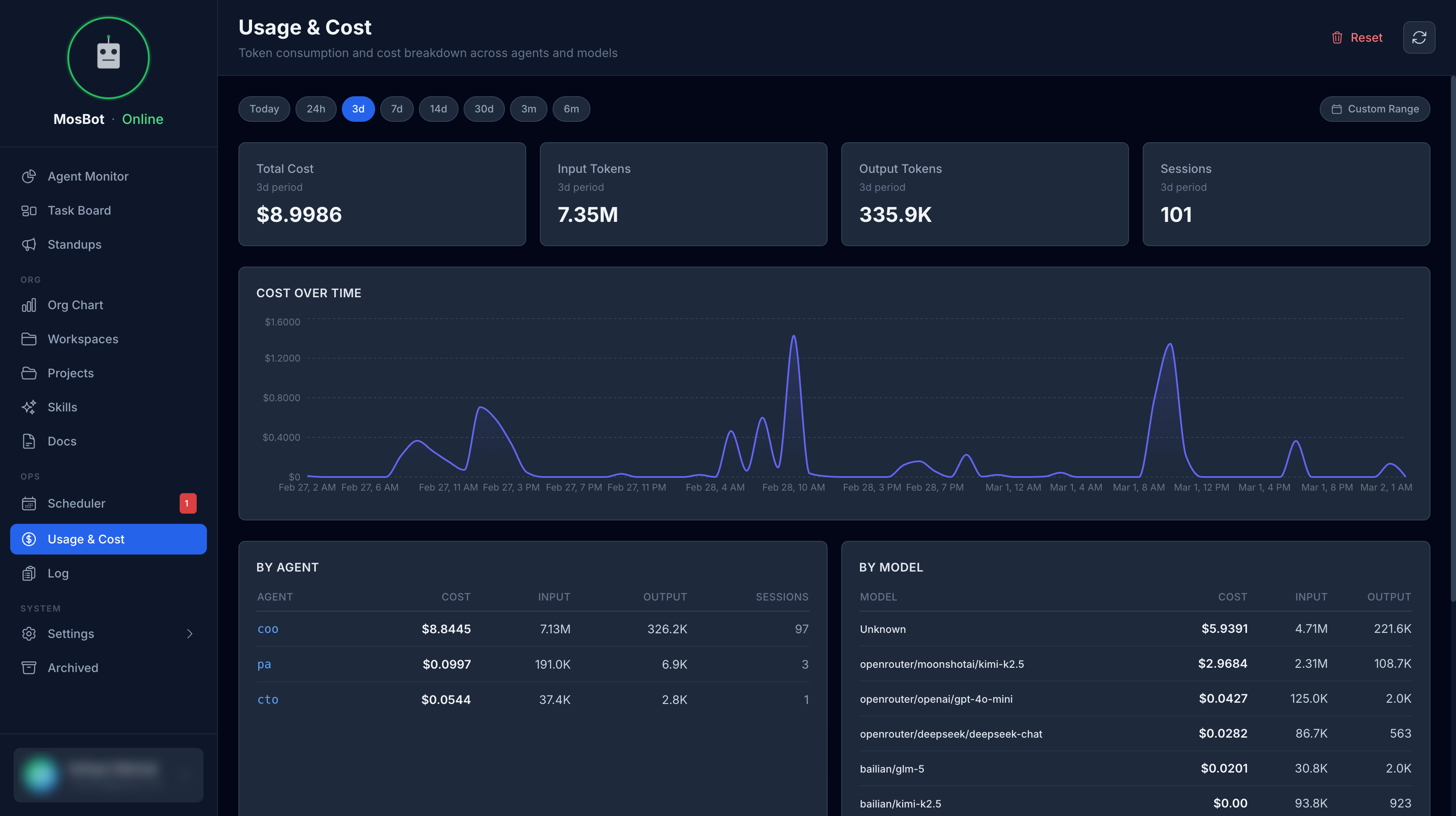
Cost and usage analytics
Track how much your agents are spending on AI model calls:
- Cost per session — how much each conversation costs
- Cost per agent — which agents are the most expensive
- Daily/weekly totals — spending trends over time
- Token usage — input and output tokens per session
Session history and messages
Browse past sessions and view real-time messages. The messages drawer shows agent conversations as they happen.
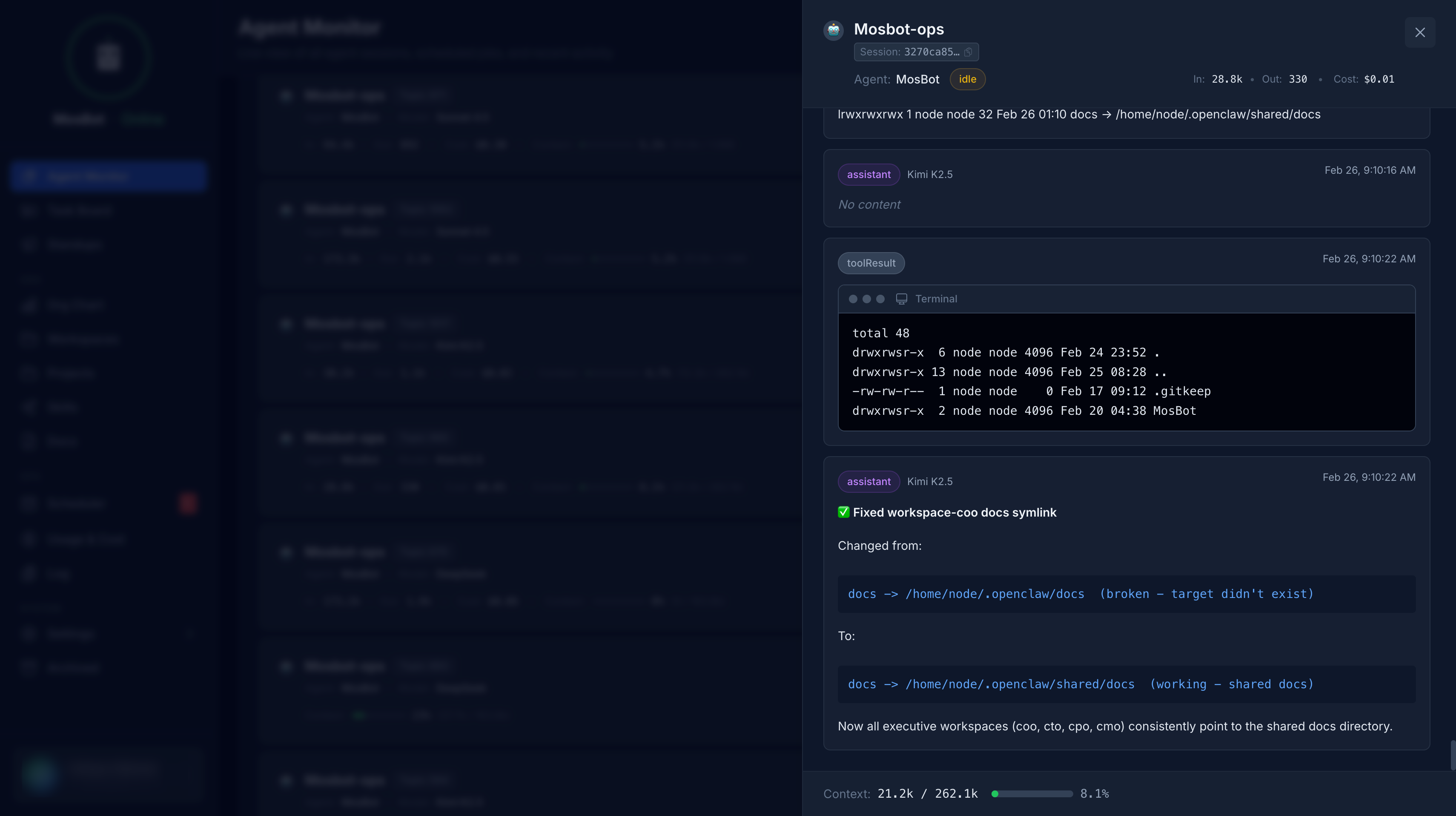
Each session shows:
- The full conversation transcript
- Total cost and token usage
- Duration
- Which model was used
Model fleet
The Agent Monitor also shows the models configured for each agent, including:
- Primary model
- Fallback models
- Per-model cost rates
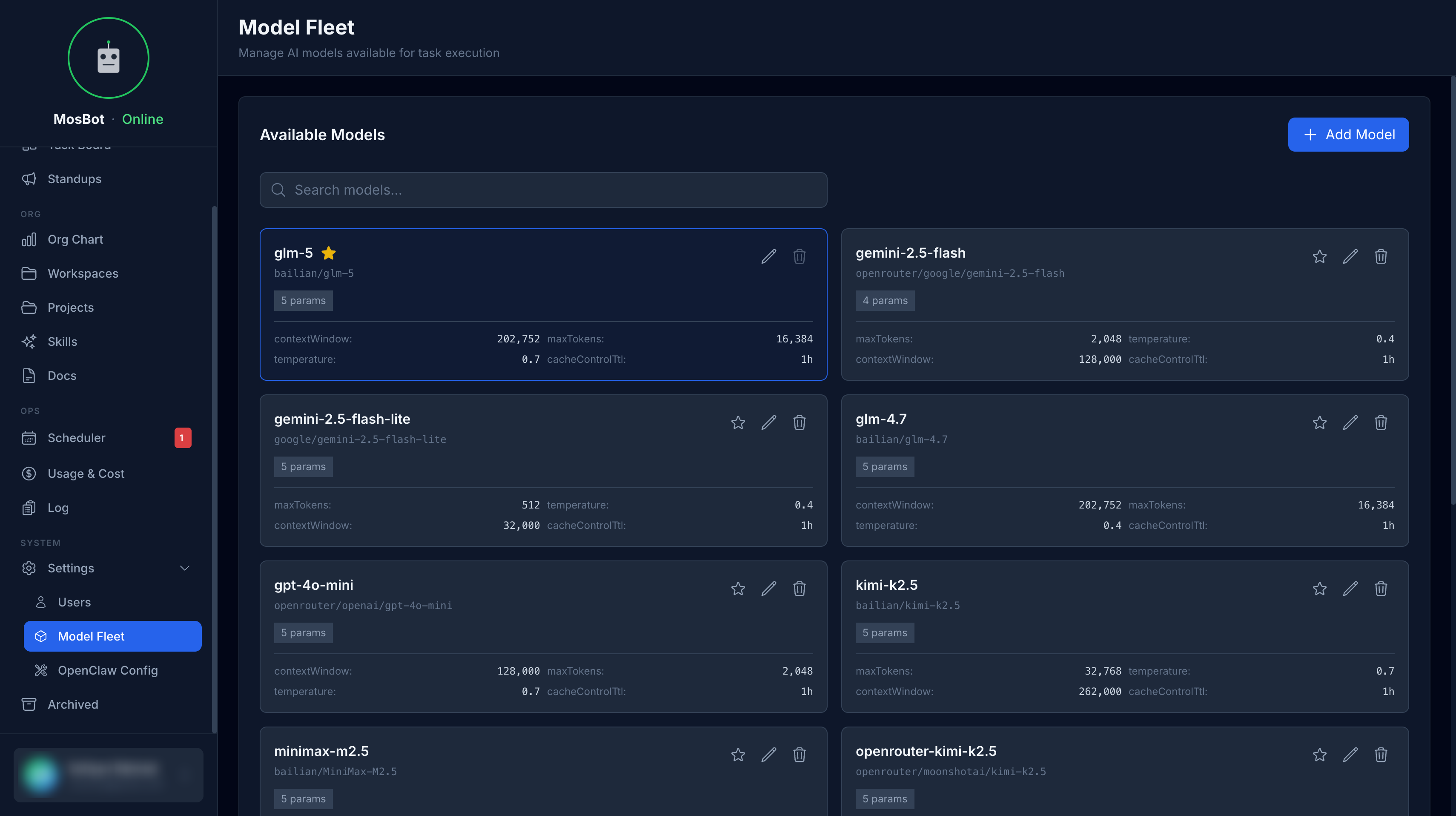
This helps you understand the cost profile of your agent fleet and optimize model selection.
Interpreting the data
Active vs idle agents
An agent is active when it has a running session. Agents without active sessions are idle — they're waiting for input or a scheduled heartbeat.
Cost optimization
If costs are higher than expected:
- Check which agents and sessions are most expensive
- Consider using cheaper fallback models for routine tasks
- Review
maxTokenssettings — lower values reduce cost per session - Enable prompt caching (
cacheControlTtl) for models that support it
Session anomalies
Very long sessions or unusually high costs may indicate:
- An agent stuck in a loop
- A task that's more complex than expected
- A model that's not responding efficiently
Use the session transcript to investigate.