Org Chart
The Org Chart is a live visualization of your AI agent team. It shows the structure of your agent organization, what each agent is responsible for, and their current status.
openclaw.json via the workspace service. See OpenClaw Integration. :::
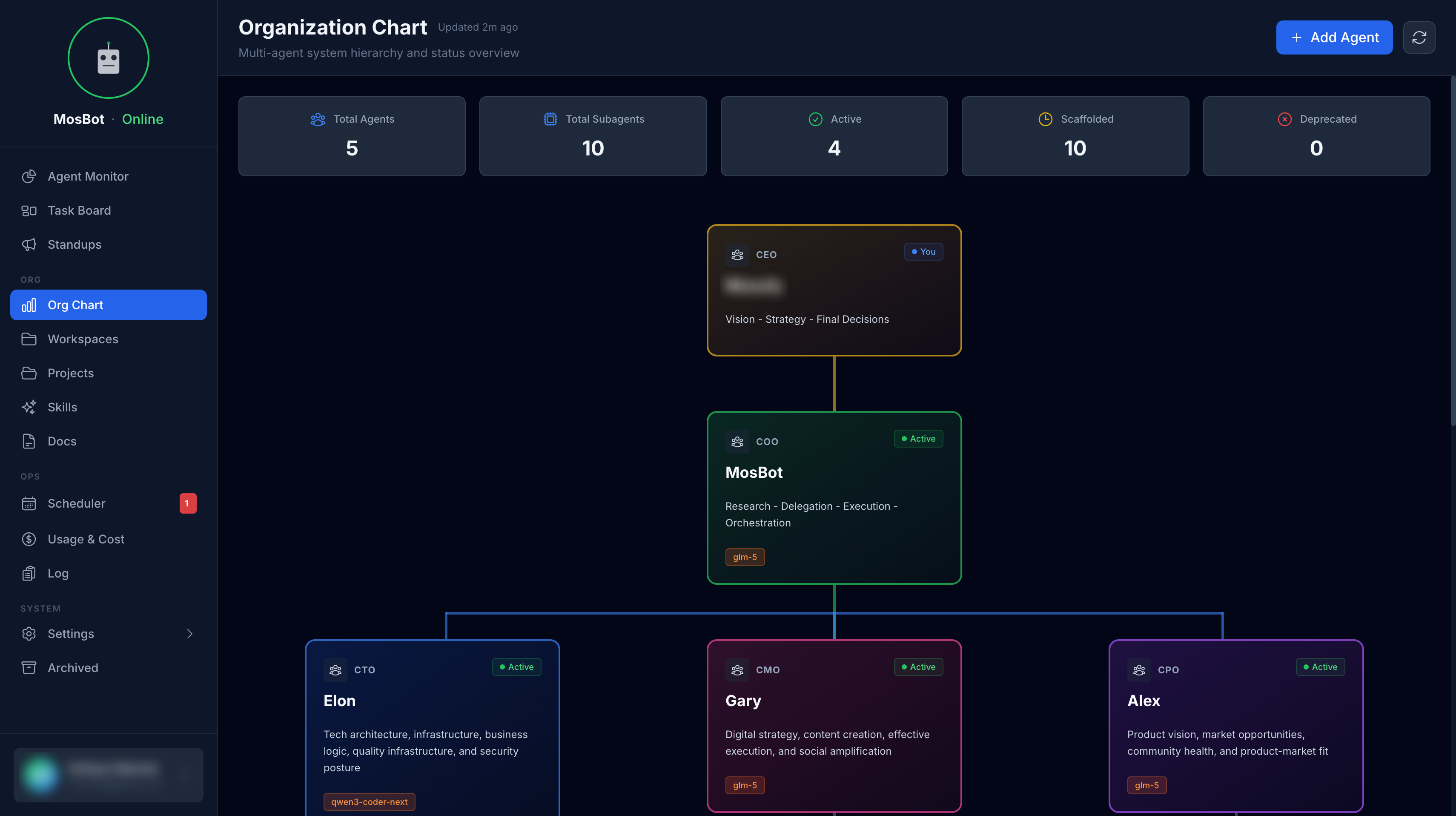
What the org chart shows
Agent hierarchy
The org chart displays your agents in a hierarchical tree, reflecting the organizational structure
defined in your openclaw.json. Each node shows:
- Agent name and emoji
- Role/theme description
- Current status badge
Status badges
Each agent node displays a status badge:
| Badge | Meaning |
|---|---|
| Active | Agent has a live running session |
| Scaffolded | Agent is defined but not yet fully configured |
| Deprecated | Agent has been retired |
The status is updated in real-time based on data from the OpenClaw Gateway.
Capability ownership
The org chart helps you understand which agent handles which type of work. For example:
- COO — orchestration, research, delegation
- CTO — technical architecture, code review
- CPO — product strategy, roadmap
- CMO — marketing, content, campaigns
Configuration
The org chart reads agent data from two sources:
openclaw.json— agent IDs, names, themes, and emoji (via workspace service)- Org chart JSON file — optional supplementary metadata for hierarchy and additional display properties
If the org chart configuration file is not found, the dashboard falls back to a default structure
based on the agents defined in openclaw.json.
Interacting with the org chart
Click on an agent node to see more details about that agent, including:
- Full identity information
- Current session status
- Recent activity
Adding agents to the org chart
Agents appear in the org chart automatically based on the agents.list in openclaw.json. To add a
new agent:
- Add the agent definition to
openclaw.json(see Configuration Reference) - The agent will appear in the org chart on the next refresh
For custom hierarchy or display properties, edit the org chart JSON file in the shared workspace.