Standups
The Standups feature provides daily AI-generated standup summaries from your agent team. Each morning, the COO agent orchestrates a standup meeting — collecting reports from each agent and producing a consolidated summary.
agent can contact other agents. See OpenClaw Integration. :::
How standups work
Every morning (at a time you configure), the OpenClaw Scheduler triggers the standup process:
- The COO agent creates a standup record and opens the meeting
- The COO contacts each agent (CTO, CPO, CMO) in sequence via
sessions_send - Each agent responds with their Yesterday / Today / Blockers report
- The COO reviews all reports, resolves any blockers, and escalates to you if human attention is needed
- The COO closes the standup with a summary and marks it complete
The entire process runs autonomously — you only get notified if something requires your attention.
Viewing standups
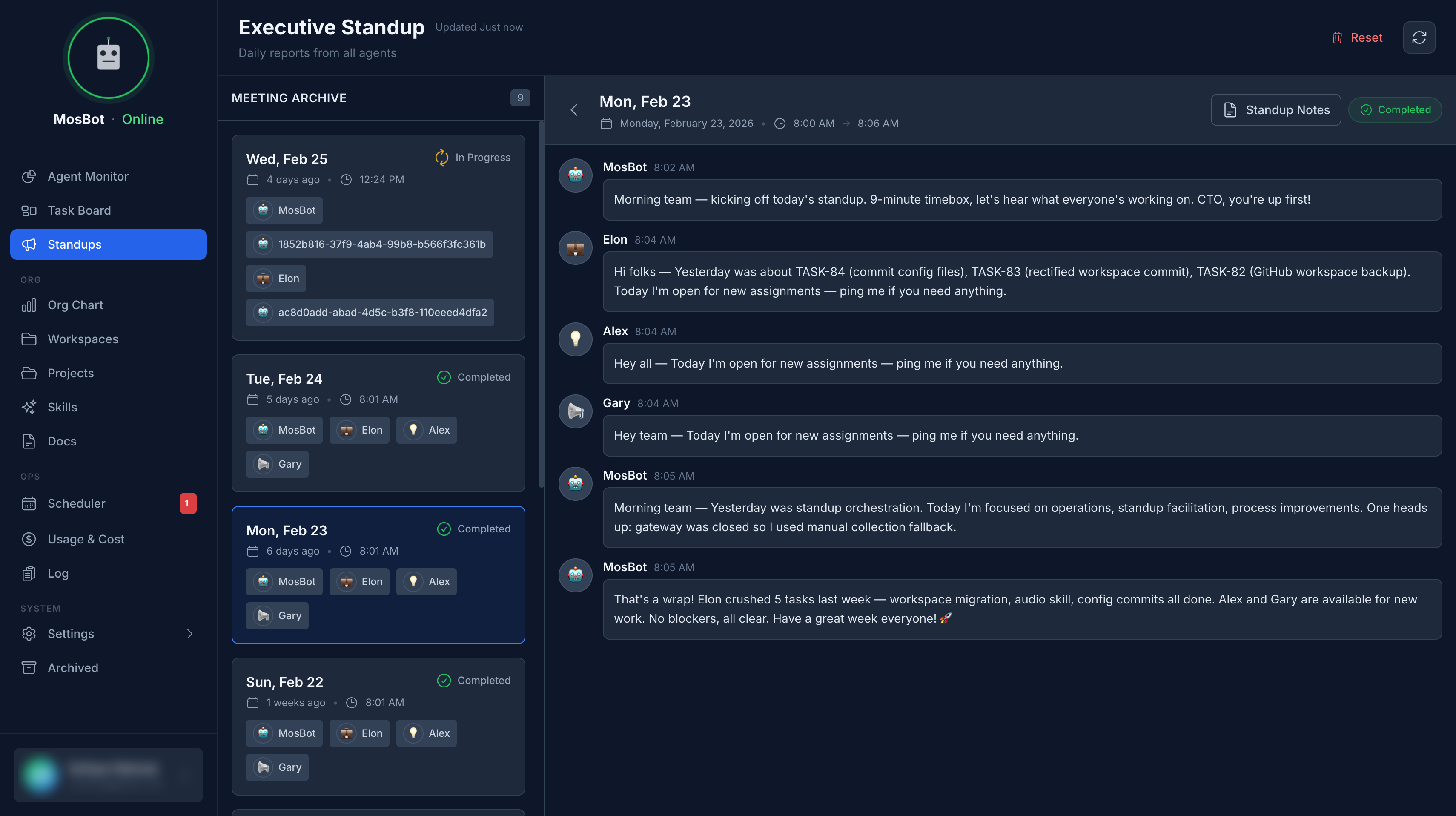
Navigate to Standups in the sidebar to see the standup list and detailed notes.
From the standups page you can view:
- Latest standup — today's or the most recent standup
- Standup history — all past standups
Each standup shows:
- Status (running, completed, error)
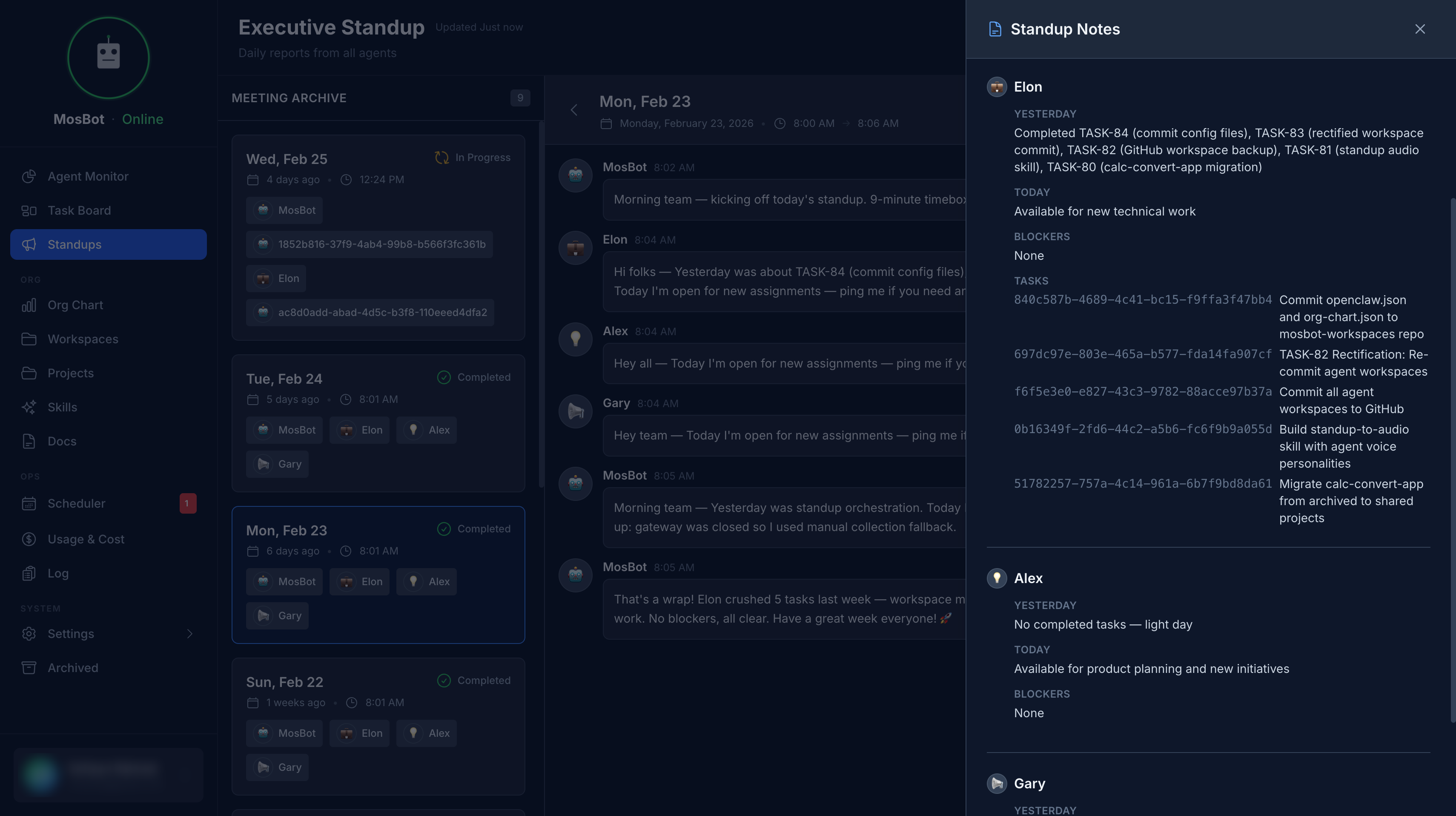
- Each agent's Yesterday / Today / Blockers report
- The full conversation transcript
- Completion time
Standup report format
Each agent provides a structured report:
Yesterday: What I worked on yesterday
Today: What I plan to work on today
Blockers: Any blockers or issues to raise
The COO parses these responses and stores them as structured data, making it easy to scan across agents.
Setting up the daily standup
Standups are triggered by a cron job in OpenClaw. The Scheduler UI in the dashboard lets you manage these scheduled tasks.
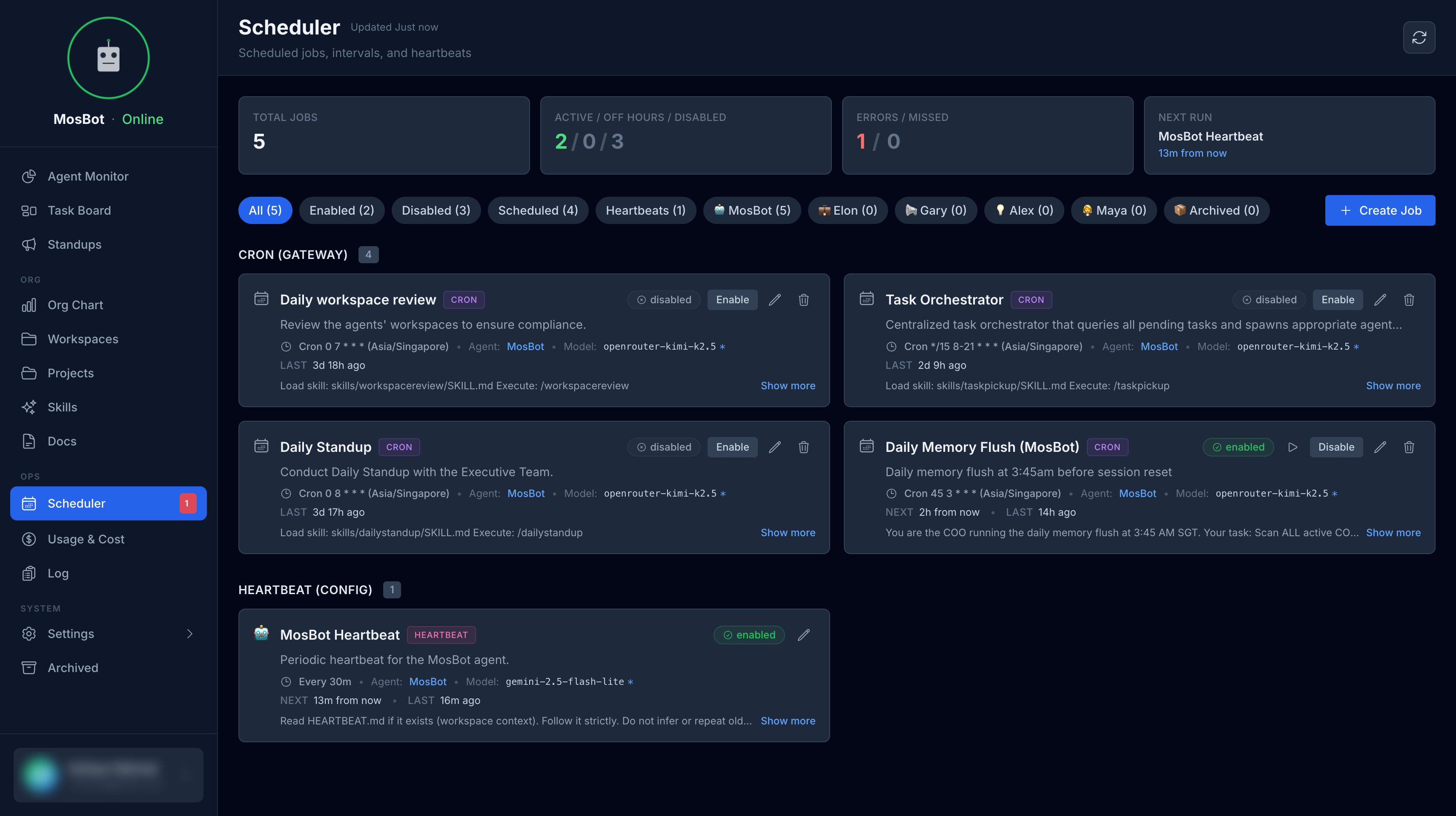
To set up the daily standup:
- Create a cron job in OpenClaw's
/cron/jobs.json(or via the Scheduler UI):
{
  "name": "daily-standup",
  "description": "Trigger daily executive standup collection",
  "schedule": {
    "kind": "cron",
    "expr": "0 8 * * *",
    "tz": "Asia/Singapore"
  },
  "agentId": "coo",
  "sessionTarget": "isolated",
  "payload": {
    "kind": "agentTurn",
    "message": "Run the daily standup. Create a new standup record for today via POST /api/v1/standups, then run it via POST /api/v1/standups/:id/run using your agent credentials."
  },
  "enabled": true
}
- Adjust the
expr(cron schedule) andtz(timezone) to your preferred time.
Running a standup manually
You can trigger a standup manually from the Standups page:
- Click Run Standup (or Retry if the last standup failed)
- The standup will run immediately
This is useful for testing or re-running a failed standup.
Agent accounts
For standups to work, each participating agent (COO, CTO, CPO, CMO) must have a user account in
MosBot with the agent role and the correct agent_id set. These accounts are used by agents to
authenticate to the MosBot API.
Create agent accounts under Settings → Users.
Troubleshooting
Standup shows "error" status The standup failed to complete. Common causes:
- No active agent users in the database
- OpenClaw Gateway is unreachable
- An agent timed out
Check the standup transcript for error details.
Agent shows "[Timeout]" in their report The agent didn't respond in time. This can happen if:
- The agent is busy with another session
- The OpenClaw Gateway connection was interrupted
The standup will still complete — timed-out agents are recorded but don't block the process.
Standup not running automatically Check that the cron job is configured in OpenClaw and enabled. Verify the timezone is correct.